
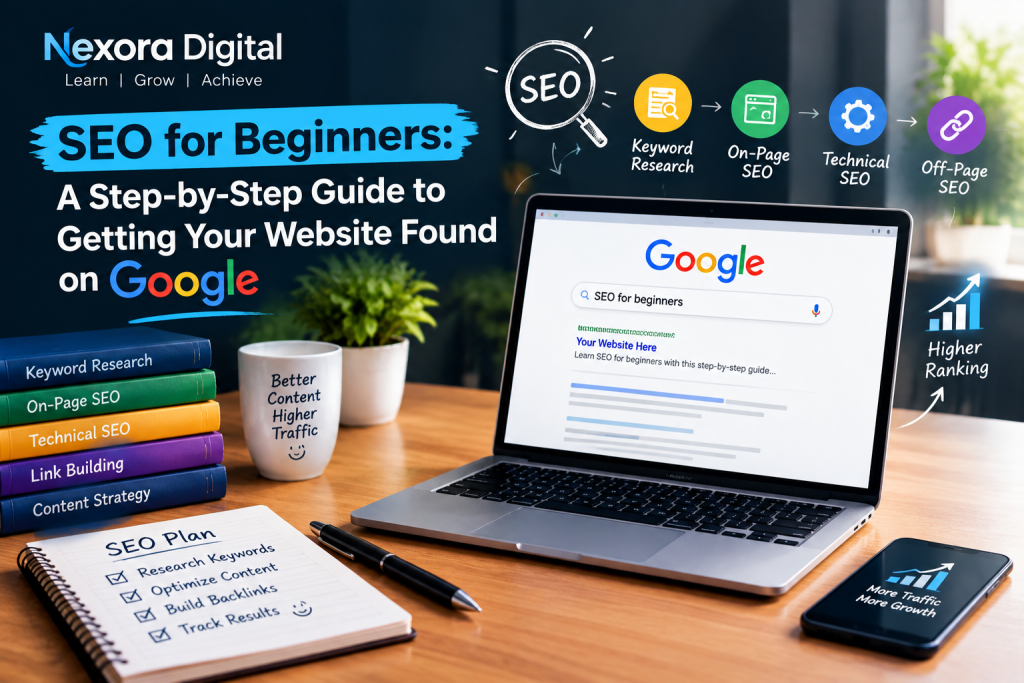
If you have a website, blog, portfolio, or online business, simply publishing content is not enough. People need to be able to find your website when they search for information on Google. This is where SEO for beginners becomes important.
SEO, or Search Engine Optimization, is the process of improving a website and its content so that search engines can better understand it and users can discover it through relevant search queries.
For beginners, SEO can seem complicated because it includes keywords, content optimization, backlinks, technical improvements, website structure, search intent, and analytics. However, SEO becomes much easier when you learn it step by step and practice it on a real website.
In this guide, we will understand what SEO is, how SEO works, keyword research, on-page SEO, technical SEO, off-page SEO, content optimization, Google Search Console, common SEO mistakes, and how beginners can create a simple SEO strategy.
What Is SEO?

SEO stands for Search Engine Optimization.
It is the process of optimizing a website so that search engines can understand its content and potentially show its pages for relevant searches.
For example, imagine someone searches Google for:
“digital marketing course for beginners”
Google looks at many signals to decide which pages may provide the most useful answer.
A well-optimized website has a better opportunity to appear for relevant searches.
SEO is not about tricking Google or simply adding keywords repeatedly. Modern SEO is largely about creating useful content, making websites easy to understand and navigate, and providing a good experience for visitors.
Why Is SEO Important?
SEO is one of the most useful digital marketing skills for website owners, bloggers, businesses, freelancers, and digital marketers.
SEO Can Bring Organic Traffic
Organic traffic refers to visitors who reach your website through unpaid search results.
For example, if someone searches for “how to start digital marketing after graduation” and discovers your blog through Google, that visitor came through organic search.
Unlike paid advertising, you don’t pay Google for every organic click.
SEO Helps People Discover Your Website
You may create an excellent website, but if nobody can find it, it will be difficult to generate traffic.
SEO helps search engines understand:
- What your website is about
- What each page contains
- Which topics you cover
- Which searches your content may be relevant to
This can help your website become more discoverable.
SEO Can Build Long-Term Visibility
Paid advertising can generate traffic while a campaign is running.
SEO works differently. A useful, well-optimized article can potentially continue attracting visitors from search engines for months or even years.
However, SEO is not an overnight process. Rankings can change, competitors can improve their content, and search engines continuously update their systems.
SEO Is an Important Digital Marketing Skill
If you are learning digital marketing, SEO is one of the fundamental areas worth understanding.
Learning SEO can help you work on:
- Blogs
- Business websites
- Portfolio websites
- E-commerce websites
- Local businesses
- Content marketing
- Affiliate websites
How Does SEO Work?
Search engines generally discover, understand, organize, and rank web pages.
A simplified SEO process looks like this:
Crawl → Understand → Index → Rank → Display
Crawling
Search engine crawlers discover pages and follow links to find new content.
Indexing
Search engines analyze and store information about pages that they are able to access and understand.
Ranking
When someone performs a search, search engines determine which available pages may be most useful and relevant to that query.
This is why SEO involves much more than simply adding keywords to an article.
The 3 Main Areas of SEO
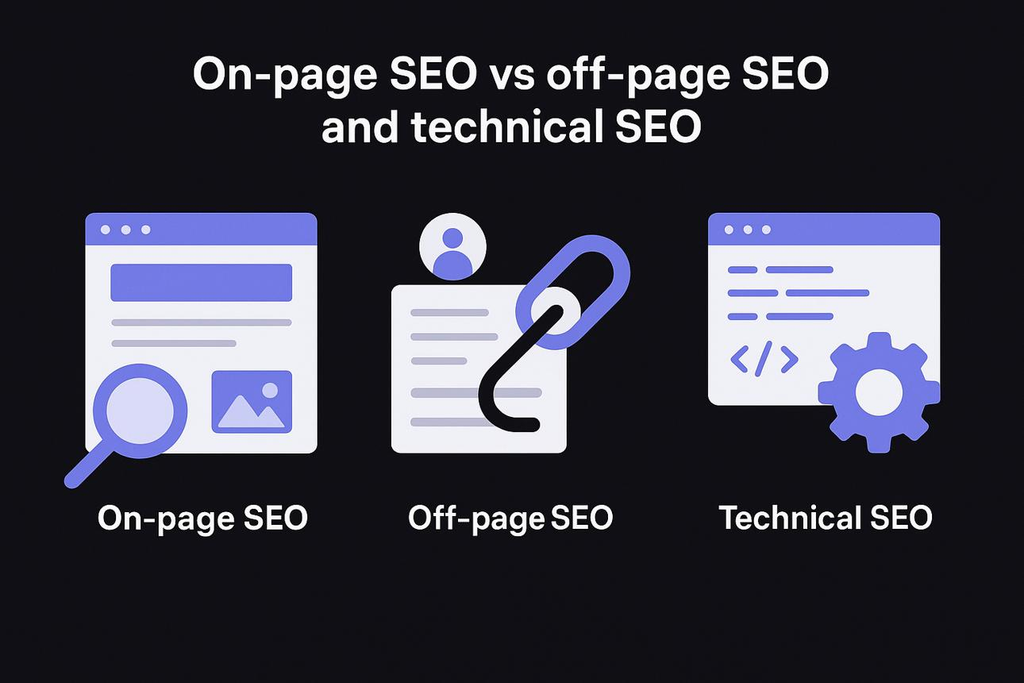
For beginners, it is useful to divide SEO into three major areas.
On-Page SEO
On-page SEO focuses on things you can optimize directly on your webpage.
Examples include:
- Page title
- Headings
- Content
- Keywords
- URLs
- Images
- Internal links
- Meta description
- Search intent
Technical SEO
Technical SEO focuses on helping search engines access and understand your website.
Examples include:
- Website speed
- Mobile usability
- HTTPS
- Website structure
- XML sitemap
- Robots.txt
- Broken links
- Indexing
- Core technical issues
You don’t need to become an advanced developer to start learning technical SEO.
Off-Page SEO
Off-page SEO refers to activities outside your website that can contribute to your website’s authority and visibility.
One important area is backlinks.
A backlink is a link from another website to your website.
For example, if a reputable website references your article and links to it, that can be a useful signal.
However, beginners should focus on earning relevant and quality links rather than trying to create hundreds of low-quality backlinks.
Step 1: Understand Search Intent
Before doing keyword research, understand search intent.
Search intent means the reason behind a person’s search.
For example:
“What is SEO?”
The person probably wants information.
“Best SEO tools”
The person may be researching available tools.
“Buy SEO course”
The person may have commercial or transactional intent.
Understanding search intent helps you create content that actually answers what the user wants.
Step 2: Learn Keyword Research
Keyword research is one of the most important SEO basics.
A keyword is a word or phrase that people type into a search engine.
Examples include:
- SEO for beginners
- digital marketing course
- SEO tools
- how to learn SEO
- Google Ads for beginners
The goal isn’t simply to find keywords with the highest search volume.
You should consider:
- Relevance
- Search intent
- Competition
- Search volume
- Content quality
- Your website’s topic
What Are Long-Tail Keywords?

For a new website, targeting extremely competitive keywords may be difficult.
Instead, beginners can often start with specific long-tail keywords.
For example:
Broad keyword: SEO
More specific keyword: SEO for beginners
Long-tail keyword: SEO for beginners step by step guide
A long-tail keyword may have less competition and a clearer search intent.
Step 3: Create Useful Content
Once you identify a keyword, create content that genuinely answers the searcher’s question.
Don’t write an article just because you found a keyword.
Ask:
“What information does the reader actually need?”
For example, if your target keyword is SEO for beginners, your article could explain:
- What SEO means
- How search engines work
- Keyword research
- On-page SEO
- Technical SEO
- Off-page SEO
- SEO tools
- Common mistakes
- A beginner’s SEO plan
This gives the reader a complete starting point.
Step 4: Optimize Your SEO Title

Your SEO title helps both users and search engines understand the topic of your page.
A good title should:
- Clearly describe the page
- Include the primary keyword naturally
- Encourage users to click
- Accurately represent the content
For this article, the title is:
SEO for Beginners: A Step-by-Step Guide to Getting Your Website Found on Google
The primary keyword appears naturally near the beginning.
Avoid titles that are misleading or overloaded with keywords.
Step 5: Use Proper Headings
Headings make your content easier to read and understand.
A typical structure can include:
H1: Main article title
H2: Major sections
H3: Subsections
For example:
H1 — SEO for Beginners
H2 — What Is SEO?
H2 — Why Is SEO Important?
H2 — How Does SEO Work?
H2 — Keyword Research
H3 — What Are Long-Tail Keywords?
A clear heading structure helps readers scan your article and helps search engines understand the organization of your content.
Step 6: Optimize Your URL
Keep your URL simple and descriptive.
For example:
/seo-for-beginners-step-by-step-guide/
is better than a complicated URL containing random numbers and unnecessary words.
A good URL should give users an idea of what the page is about.
Step 7: Write a Useful Meta Description
A meta description is a short description that can appear with your page in search results.
For this blog:
Learn SEO for beginners with this step-by-step guide covering keyword research, on-page SEO, technical SEO, backlinks, content optimization, Google Search Console and practical SEO tips.
Search engines may choose a different snippet depending on the search query, but writing a clear description helps summarize your page.
Step 8: Add Internal Links
Internal links connect one page of your website to another page on the same website.
For example, if your website has a blog about starting a digital marketing career, you can link to it from this article.
You can use anchor text such as:
digital marketing career after graduation
and link it to your first blog.
Internal links can help users discover more content and help search engines understand the relationship between pages on your website.
You can also link to your:
- About page
- Services page
- Blog
- Resources page
- Contact page
Step 9: Optimize Your Images
Images can make a blog more attractive and easier to understand.
However, images should also be optimized.
Use:
- Descriptive file names
- Relevant alt text
- Appropriate image sizes
- Compressed images
For example, instead of:
IMG12345.jpg
use:
seo-for-beginners-keyword-research.jpg
Example alt text:
“SEO keyword research for digital marketing beginners”
Don’t stuff keywords into alt text unnecessarily.
Step 10: Learn Technical SEO Basics
Technical SEO may sound complicated, but beginners can start with a few important areas.
Mobile-Friendly Website
Your website should work properly on smartphones and tablets.
Website Speed
A slow website can create a poor user experience.
Optimize large images, unnecessary plugins, scripts, and other elements that may affect performance.
HTTPS
Your website should use HTTPS so that the connection between the visitor and website is secured.
XML Sitemap
An XML sitemap helps search engines discover important URLs on your website.
Broken Links
Check your website for links that lead to missing or unavailable pages.
These are only the basics, but they provide a strong starting point.
Step 11: Learn Google Search Console
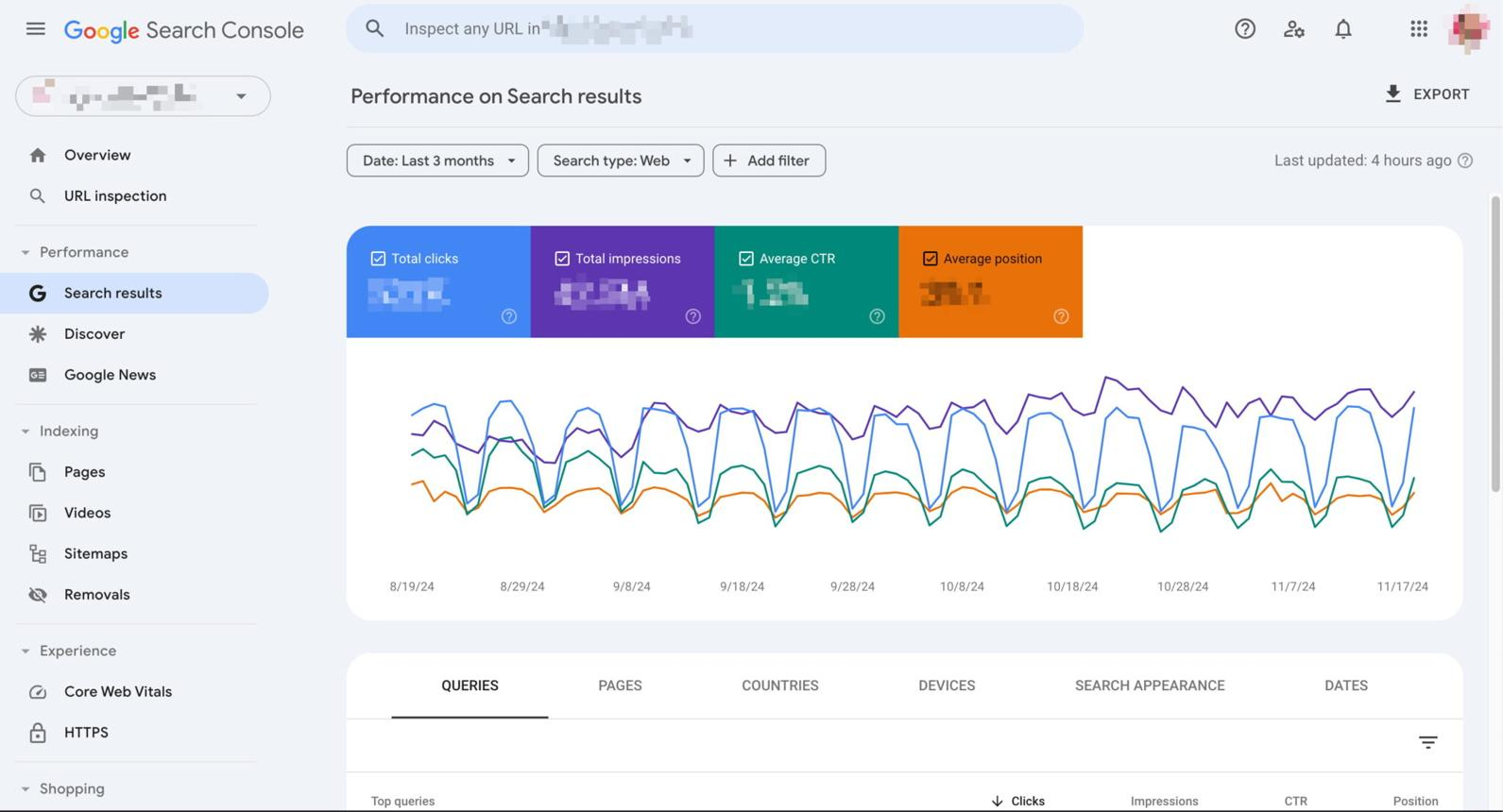
Google Search Console is an important tool for anyone learning SEO.
It can help website owners understand how their website performs in Google Search.
You can use it to monitor things such as:
- Search queries
- Clicks
- Impressions
- Average position
- Indexed pages
- Search performance
- Some indexing issues
For beginners, Search Console is especially useful because it lets you see which search queries are bringing visibility to your website.
Step 12: Understand Backlinks
A backlink occurs when another website links to your website.
For example, Website A publishes an article about digital marketing and links to your SEO guide.
That link is a backlink to your website.
But don’t focus only on getting a large number of backlinks.
Quality and relevance matter.
How Can You Earn Backlinks?
You can work toward earning links by:
- Publishing useful original content
- Creating helpful resources
- Building relationships in your industry
- Contributing valuable information to relevant websites
- Promoting useful content
Avoid spammy link-building techniques.
Step 13: Improve Existing Content
SEO isn’t only about publishing new blogs.
You should also review your existing content.
For example, after several months you may discover that an article receives impressions but very few clicks.
You can review:
- SEO title
- Meta description
- Search intent
- Content quality
- Headings
- Internal links
- Outdated information
Then improve the article where appropriate.
This creates a continuous SEO improvement process.
Common SEO Mistakes Beginners Should Avoid
Keyword Stuffing
Repeating the same keyword excessively can make content unnatural.
Write for people first.
Copying Content
Don’t simply copy another website’s article.
Create original and useful content.
Buying Low-Quality Backlinks
Large numbers of irrelevant or spammy backlinks can create problems.
Focus on earning relevant links naturally.
Ignoring Search Intent
A page can contain the correct keyword but still fail to satisfy what the user wants.
Always understand the purpose behind the search.
Writing Only for Search Engines
Your real audience is people.
Make your content useful, readable, and easy to navigate.
Expecting Instant Results
SEO normally takes time.
Your website may need weeks or months to build visibility, depending on competition, content quality, authority, technical health, and many other factors.
Free SEO Tools Beginners Can Learn
You don’t need expensive tools to start learning SEO.
Google Search Console
Useful for understanding your website’s Google Search performance.
Google Analytics
Useful for understanding website traffic and visitor behavior.
Google Trends
Useful for exploring how interest in topics changes over time.
Google Search
Simply searching Google can help you study:
- Search results
- Related searches
- Search intent
- Competitor content
- Featured snippets
As you become more advanced, you can explore professional SEO platforms and keyword research tools.
A Simple SEO Strategy for Beginners
If you’re completely new to SEO, don’t try to learn everything at once.
Follow this simple process:
Step 1: Choose a specific topic.
Step 2: Research relevant keywords.
Step 3: Understand search intent.
Step 4: Study the existing search results.
Step 5: Create useful and original content.
Step 6: Optimize the title and headings.
Step 7: Add internal links.
Step 8: Optimize images.
Step 9: Check technical basics.
Step 10: Publish the content.
Step 11: Monitor performance using Search Console.
Step 12: Improve the content over time.
This approach is much better than trying to learn hundreds of SEO techniques simultaneously.
How Beginners Can Practice SEO
The best way to learn SEO is to practice.
You can create your own:
- Blog
- Portfolio website
- WordPress website
- Small business website
- Affiliate website
- Personal project
For example, while building my own digital marketing portfolio website, Nexora Digital, I can use SEO principles to structure pages, create useful blog content, optimize titles and descriptions, add internal links, and monitor search performance.
This kind of practical project can help you understand SEO much better than only watching tutorials.
A 30-Day SEO Learning Plan
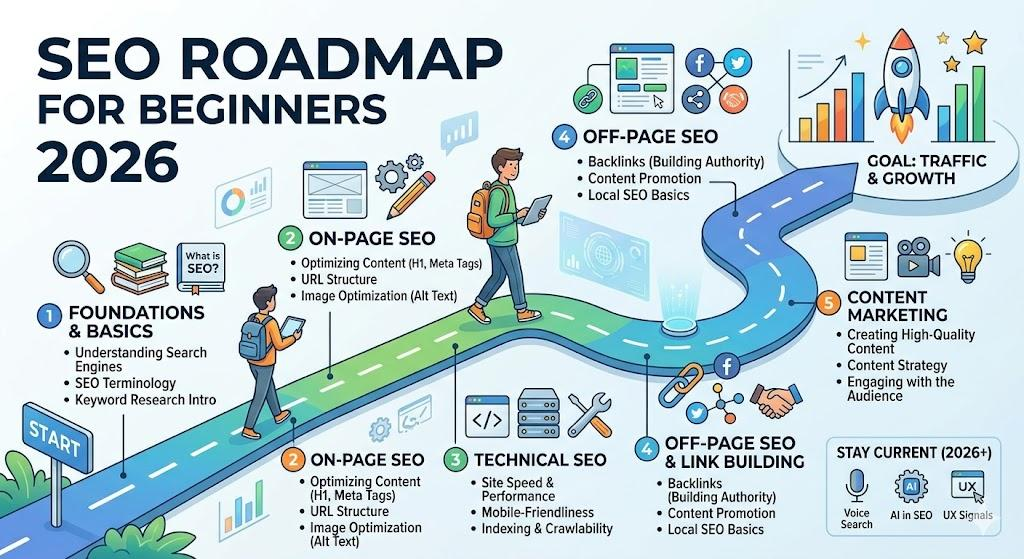
Week 1 — SEO Fundamentals
Learn:
- What SEO is
- How Google Search works
- Search intent
- Keywords
- Organic traffic
Week 2 — On-Page SEO
Practice:
- SEO titles
- Headings
- URLs
- Meta descriptions
- Internal linking
- Image alt text
Week 3 — Technical & Off-Page SEO
Learn:
- Sitemap
- Indexing
- Mobile optimization
- Website speed
- Backlinks
- Basic website structure
Week 4 — Practical SEO
Create or optimize several pages and monitor them.
Use Google Search Console to understand:
- Impressions
- Clicks
- Search queries
- Average position
The goal isn’t to become an SEO expert in 30 days.
The goal is to build a strong foundation and develop the habit of practicing.
Is SEO Still Worth Learning?
Yes, SEO remains an important digital marketing skill because search engines continue to be a major way people discover information, products, services, businesses, and websites.
However, SEO is changing.
Search behavior is evolving, competition is increasing, and AI is changing how people discover and consume information.
This means SEO professionals need to focus more on:
- Helpful content
- User intent
- Strong websites
- Original insights
- Technical quality
- Brand visibility
- Data analysis
- Continuous learning
Instead of memorizing SEO tricks, learn the fundamentals and understand why different optimization techniques matter.
Final Thoughts
Learning SEO for beginners doesn’t have to be overwhelming.
Start with the fundamentals.
Understand how search engines work, learn keyword research, create useful content, practice on-page SEO, understand technical basics, learn about backlinks, and use tools such as Google Search Console to measure your progress.
Most importantly, practice SEO on a real website.
Your first website may not rank immediately. Your first article may receive very little traffic. That’s normal.
SEO is a long-term learning process.
As you continue publishing, analyzing, improving, and learning from your results, your understanding of SEO will become stronger.
If you’re a student, graduate, beginner, freelancer, or aspiring digital marketer, learning SEO can become one of the most valuable foundations for your digital marketing journey.
Learn → Practice → Analyze → Improve → Repeat.
That is a simple SEO mindset for beginners.
Frequently Asked Questions About SEO
What is SEO in simple words?
SEO means improving a website and its content so that search engines can understand it and users can discover it through relevant searches.
Can beginners learn SEO?
Yes. Beginners can learn SEO step by step by understanding keywords, search intent, content optimization, on-page SEO, technical SEO, and backlinks.
How long does SEO take to show results?
There is no fixed timeline. Results can depend on competition, website authority, content quality, technical health, search intent, and many other factors.
Is SEO free?
Learning and implementing many basic SEO techniques can be done for free. Several useful tools also provide free features.
What should I learn first in SEO?
Start with SEO fundamentals, search intent, keyword research, on-page SEO, content creation, and basic technical SEO.
What is keyword research?
Keyword research is the process of identifying words and phrases that people use when searching for information, products, services, or solutions.
What is on-page SEO?
On-page SEO involves optimizing elements on your webpage, including content, headings, titles, URLs, images, internal links, and other page elements.
What are backlinks?
Backlinks are links from other websites pointing to your website. Relevant, trustworthy backlinks can contribute to a website’s authority and visibility.
Can I learn SEO without a course?
Yes. You can learn SEO through free educational resources, documentation, practical projects, and continuous experimentation.
Is SEO useful for a digital marketing career?
Yes. SEO is one of the core areas of digital marketing and can be useful for bloggers, businesses, agencies, freelancers, website owners, and aspiring digital marketers.